anthropicsDeveloper tools
Claude Code
claude-code
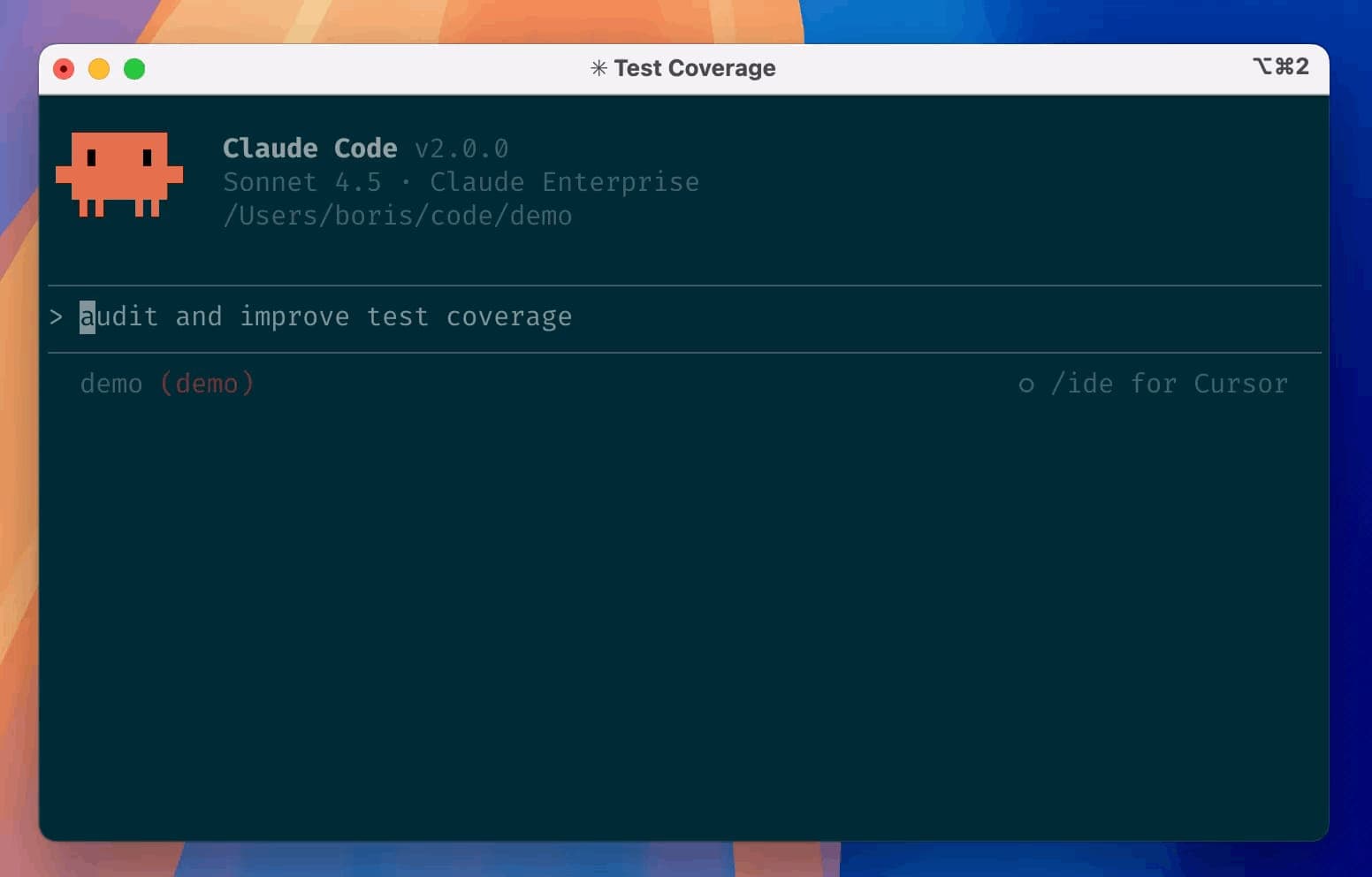
An agentic coding tool for the terminal that understands codebases, handles routine development tasks, explains code, and works with Git workflows.
- Frontend
- Backend
- Full stack
- DevOps
- AI coding
- Code quality
- CLI
- IDE plugin
- Windows
- macOS
- Linux
- Runs locally
- Docker supported
- Popularity
- 148.8k Stars
- GitHub stars
- Recent activity
- 10/1/2026
- Updated in the last 30 days
- License
- Unknown
- No SPDX detected
Why it matters
We look beyond stars: what problem it solves, whether it creates real utility, and what makes its approach worth noticing.
Problem
Developers spend substantial time on routine tasks like searching codebases, executing repetitive edits, and managing git workflows.
Practical value
Executes natural language commands directly in the terminal to parse codebases, handle development tasks, and manage git workflows efficiently.
Innovation / differentiation
Deeply integrates an LLM agent into the terminal environment with native command-line interactions for a cohesive developer workflow.
Leverage potential
Quickly installs via standard package managers and integrates directly into existing project directories without altering core workflows.
Why now
LLM capabilities for code comprehension have matured, aligning with a growing developer preference for terminal-based AI agents.
Community activity
In the last 90 days there were 24902 new issues and 183 pull requests; the bounded issue/PR samples include 0 issue authors and 51 PR contributors, with at least 50 releases.
Maintainer responsiveness
The 24902-issue window sample had a — close rate, and the 100-pull-request sample had a 1% merge rate. Maintainer-comment observations covered only — of that issue sample, so response rate and first-response speed are not reported.
Key highlights
- Read and understand the current codebase from the terminal
- Execute routine development tasks and modify project files
- Explain complex code and assist with Git workflows
Quick start
How it is installed, how hard it is, and where to start.
Where it runs
Runs locally
Difficulty
Easy — follow the steps
- 01Install Claude Code using the documented macOS/Linux installer or Homebrew, or the Windows PowerShell or WinGet method.
- 02Open the project directory you want Claude Code to work with.
- 03Run
claudeto start a session and describe the development task in natural language.
Best for
- Developers who want to try it on their machine
- People who prefer Docker deploys
More about it
Claude Code is Anthropic’s agentic coding tool centered on the terminal, with additional IDE usage and @claude workflows on GitHub. Its official README describes codebase understanding, routine task execution, complex-code explanation, and Git workflow handling as core use cases. Recommended installers are documented for macOS, Linux, and Windows; after installation, users can enter a project directory and run claude. The repository also includes plugins that extend the tool with custom commands and agents.
Sources
Each field shows its status and source — expand to review.
10 · Expand
Sources
Each field shows its status and source — expand to review.
capability tags
Verifiedai_coding, code_quality
Source: manual_curator · Manually curated from the official repository README and project links. · 8/17/2026
Latest release
Verifiedv2.1.287
Source: GitHub API · latest_release=v2.1.287 · 10/1/2026
needs api key
VerifiedNo
Source: manual_curator · Manually curated from the official repository README and project links. · 8/17/2026
One-liner
Verified{"en":"An agentic coding tool for the terminal that understands codebases, handles routine development tasks, explains code, and works with Git workflows.","zh":"运行在终端中的 Agent 编程工具,可理解代码库、执行日常开发任务、解释代码并处理 Git 工作流。"}
Source: manual_curator · Manually curated from the official repository README and project links. · 8/17/2026
Platforms
Verifiedwindows, macos, linux
Source: manual_curator · Manually curated from the official repository README and project links. · 8/17/2026
Category hint
Inferred from materialsai-apps
Source: Project README · hint=ai-apps · 8/13/2026
product forms
Verifiedcli, ide_plugin
Source: manual_curator · Manually curated from the official repository README and project links. · 8/17/2026
role tags
Verifiedfrontend, backend, fullstack, devops
Source: manual_curator · Manually curated from the official repository README and project links. · 8/17/2026
supports docker
VerifiedYes
Source: Repository file · dockerfile=true; compose=false · 10/1/2026
supports local
VerifiedYes
Source: manual_curator · Manually curated from the official repository README and project links. · 8/17/2026
Related projects
Other verified projects matched by category, capabilities, and intended roles.
spec-kit
An open-source CLI toolkit for Spec-Driven Development that guides AI coding agents through structured specification, planning, and code generation steps.
codex
OpenAI’s coding agent that runs locally, with terminal, IDE, and desktop-app entry points.
Flare
A graph-first IDE for agentic coding featuring a live codebase map, integrated terminal, and MCP task collaboration.
CLI-Anything
A toolkit for generating and managing agent-callable CLIs for existing software, with CLI-Hub, generation workflows, and skill/plugin integrations.
cloudflare-os
An AI-powered productivity environment built on Cloudflare Workers for creating custom applications, running agents, and managing secure sandboxed workflows.
atrophy
Quantify and track your coding skill decay caused by AI reliance through regular, unaided programming drills.